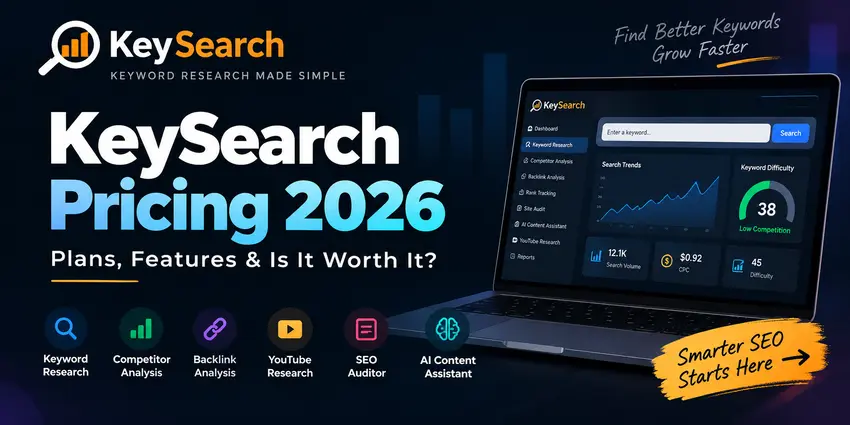
KeySearch has become a go-to SEO tool for publishers who want a practical keyword research workflow without paying enterprise-tool pricing. If you’re here, you’re probably asking one of these questions:
How much does KeySearch cost in 2026—and what do the plans include?
Is the Starter plan enough, or do you need Pro (with Foresight)?
Is there a free trial, and what should you test during it?
How does KeySearch compare to Ahrefs for content SEO?
This guide breaks it all down with a focus on real buying intent: plans, limits, value, and who each tier is for.
Quick Verdict
Starter ($24/month) is a strong fit for indie publishers, bloggers, and small businesses doing content-first SEO with modest tracking needs.
Pro ($48/month) makes sense if you’re scaling output, managing more keywords/projects, or you want Foresight (KeySearch’s AI-driven recommendation engine).
The 7-day free trial is worth using if you test the tool against your real niche keywords and competitor set.
Compared with Ahrefs, KeySearch wins on simplicity and cost, while Ahrefs wins on depth and datasets—especially for backlink-heavy strategies.
What is KeySearch (and what are you paying for)?
KeySearch is an all-in-one SEO toolkit designed to help you:
Research keywords and evaluate ranking difficulty
Analyze competitors and find content gaps
Run SEO audits to identify technical and on-page issues
Track rankings over time
Use an AI-powered content assistant/editor to support content creation
It’s positioned as “affordable, fast, and beginner-friendly,” and the pricing is structured around two tiers with clear limits. It also offers monthly billing or annual billing, with annual billing marketed as 2 months free. (Meaning: you can reduce effective monthly cost by paying annually.)
KeySearch Pricing 2026: Starter vs Pro (Plans & Limits)
KeySearch lists two primary plans:
Starter Plan — $24/month
Best for: indie publishers, bloggers, and small businesses starting with SEO.
Includes (key limits):
200 keyword searches per day
80 tracked keywords per month
2,000 audited pages per month
5,000 AI credits per month
Doesn’t include Foresight
This plan is usually enough if you:
publish a few posts per month,
run periodic audits,
track a limited set of money keywords,
and don’t need automated “what to do next” recommendations.
Pro Plan — $48/month
Best for: fast-growing publishers, small businesses, and agencies that are serious about SEO.
Includes (key limits):
Includes Foresight
500 keyword searches per day
200 tracked keywords per month
5,000 audited pages per month
15,000 AI credits per month
This plan becomes “worth it” when you’re hitting constraints:
You research keywords daily and don’t want to ration lookups
You track multiple clusters, pages, or projects
You need more AI credits for content assistance
You want Foresight to speed up prioritization and planning
Monthly vs Annual Billing: Which should you choose?
KeySearch promotes annual billing as “2 months free.” If you already know you’ll use KeySearch for at least 3–6 months, annual billing can be a better value.
A practical decision rule:
Choose monthly if you’re still validating fit (use the free trial first).
Choose annual once you’ve proven KeySearch will be part of your workflow long-term.
Is KeySearch Worth It in 2026?
“Worth it” depends on whether the plan limits match your workload.
KeySearch is usually worth it if you are:
A content-first SEO operator (affiliate sites, blogs, content marketing)
Focused on long-tail keywords, SERP validation, and steady publishing
Budget-conscious but still want a full SEO workflow (not just a keyword tool)
KeySearch may not be worth it if you need:
Extremely deep backlink intelligence and link prospecting at scale
The largest datasets for competitive research in highly competitive niches
Advanced workflows that rely on enterprise-level historical or link data
The biggest signal that KeySearch is worth it: you can reliably go from “topic idea” → “winnable keyword” → “SERP plan” → “publish” without feeling blocked by limits or confusion.
KeySearch Review Notes (What Real Users Highlight)
When you look at community discussions from real site owners, the most common positive themes tend to be value for money and practical day-to-day workflow.
A typical user-positive checklist includes:
A generous number of searches per day (often cited as a major convenience)
Competitor gap-style analysis: identifying keywords competitors rank for that you don’t
Keyword difficulty guidance aligned with a site’s authority level
A site audit tool that flags on-page and technical issues (content/meta/links/tags)
A content assistant that suggests common terms and questions from SERP patterns
Extra research features (e.g., YouTube research) that can be useful depending on your channel mix
The key takeaway: users who like KeySearch usually like it because it helps them make content decisions quickly—not because it’s the deepest SEO database on the market.
KeySearch Free Trial: How to Test It Properly (7-Day Plan)
KeySearch offers a 7-day free trial (cancel anytime). If you treat the trial like a structured test, you’ll know quickly whether the tool fits.
Here’s a simple, effective 7-day evaluation plan:
Day 1–2: Validate keyword research quality in your niche
Bring 20 real keyword ideas from your niche (not generic head terms)
Check difficulty, SERP competitiveness, and whether suggestions include winnable long tails
Confirm the tool helps you separate intent: review vs pricing vs alternatives vs how-to
Day 3–4: Run competitor analysis on 3 real competitors
Identify which pages bring them traffic (topic patterns)
Extract keyword opportunities you can realistically pursue
Build a shortlist of 10–20 “next articles”
Day 5: Use the content assistant/editor on one draft
Create an outline for a commercial page (pricing/review/vs)
Ensure you can cover the SERP’s common questions without producing fluff
Day 6: Audit your site (or a subset)
Run an audit and see if fixes are actionable and prioritized
If the audit is overwhelming or vague, note it—this is a common dealbreaker for some tools
Day 7: Set up rank tracking for a small list
Track 10–20 terms you care about
Confirm the reporting and update cadence is useful for how you operate
If the trial ends with:
a clear keyword list,
a content plan for your next 2–4 weeks,
and confidence that limits won’t block you,
…then KeySearch is likely a good fit.
KeySearch vs Ahrefs (2026): Which One Should You Choose?
This comparison is best answered by one question:
Do you need depth, or do you need momentum?
Choose KeySearch if you want momentum:
KeySearch tends to be the better choice when:
You’re building traffic through consistent publishing
You want a simple interface and faster execution
You care about “good enough data + clear workflow”
Your budget needs to stay lean while you validate ROI
Choose Ahrefs if you need depth:
Ahrefs tends to win when:
Backlinks are central to your strategy
You need deep competitive research and large datasets
You operate in a niche where small ranking edges depend on deeper intelligence
You need advanced link analysis and prospecting workflows
In short:
KeySearch is often the right tool for creators and small teams building a content engine.
Ahrefs is often the right tool for advanced SEO operators who need the strongest competitive datasets.
Who Should Pick Starter vs Pro?
Pick Starter ($24/mo) if:
You run 1 site (or a small project set)
You publish a few posts per month
You only need to track ~80 keywords monthly
You’re using AI credits lightly
You don’t need Foresight
Pick Pro ($48/mo) if:
You’re publishing weekly (or scaling content production)
You track multiple clusters and landing pages
You want 500 searches/day to research freely
You need 200 tracked keywords/month
You want Foresight to guide “what to do next” faster
| Feature / Limit | Starter Plan ($24/mo) | Pro Plan ($48/mo) |
|---|---|---|
| Foresight (AI recommendations engine) | Not included | ✅ Included |
| Keyword searches per day | 200 / day | 500 / day |
| Tracked keywords per month | 80 / month | 200 / month |
| Audited pages per month | 2,000 / month | 5,000 / month |
| AI credits per month | 5,000 / month | 15,000 / month |
| Keyword Research | Included | Included |
| Live SERP Analysis | Included | Included |
| Competitor Analysis | Included | Included |
| Backlink Analysis | Included | Included |
| YouTube Research | Included | Included |
| SEO Auditor | Included | Included |
| AI Content Assistant | Included | Included |
| Rank Tracking | ✅ Included | ✅ Included |
FAQs
Is KeySearch suitable for beginners?
Yes—KeySearch is designed to be user-friendly, and it’s often chosen by bloggers and indie publishers because the workflow is straightforward.
Does KeySearch have a free trial?
Yes, KeySearch offers a 7-day free trial (cancel anytime). Use it to validate keyword quality, competitor insights, content assistance, and tracking.
Does KeySearch offer annual billing?
Yes. KeySearch offers annual billing and markets it as 2 months free compared with monthly.
Is KeySearch accurate?
Like any SEO platform, accuracy varies by metric and data source. The right approach is to validate outputs against real SERPs and your own performance data (e.g., Search Console) during the trial.
Final Verdict: KeySearch Pricing 2026 — Is it worth it?
KeySearch is priced to be a realistic long-term SEO tool for content-driven sites. If you’re building traffic through publishing and want an affordable, usable system that covers keyword research, SERP analysis, audits, tracking, and content support, the value proposition is strong.
Start with the 7-day free trial, choose Starter if your workflow is light and focused, and move to Pro when your output and tracking needs grow—or when you want Foresight to accelerate planning.
If you want, I can also generate:
A matching Table of Contents + jump links structure (WordPress-friendly), and
A pricing comparison table (Starter vs Pro) formatted for your theme, and
A “KeySearch vs Ahrefs” mini-table plus 6–10 PAA-style FAQ questions to target extra long-tail traffic.