AI writing tools often promise faster content creation, but many are either too expensive for individual users or unable to produce publish-ready articles. Rytr takes a different approach: it offers an affordable, beginner-friendly writing platform for bloggers, marketers, freelancers, and small businesses.
But is Rytr actually good enough for professional website content?
For this Rytr review, I tested the free plan by creating a blog outline and generating individual sections with custom headings, keywords, and writing styles. Rytr was easy to understand and useful for producing a first draft. However, the free version frequently repeated similar ideas and generic phrases, especially when I generated several sections on related topics.
The short answer is that Rytr is a useful AI writing assistant for outlines, short-form copy, and rough drafts. It is not a reliable replacement for research, fact-checking, or professional editing.
This review examines Rytr’s current pricing, free-plan limits, content quality, SEO features, writing workflow, and major drawbacks to help you decide whether it is worth paying for in 2026.
What Is Rytr AI?
Rytr is an AI writing tool designed to help users create and rewrite marketing copy, blog sections, emails, product descriptions, social media posts, SEO meta titles, calls to action, and other types of short-form content.
Unlike a traditional chatbot, Rytr organizes its writing features into separate use cases. You select the type of content you want to create, enter a topic or section heading, add relevant keywords, choose a language and writing tone, and then generate one or more versions.
This structured workflow makes Rytr approachable for beginners. You do not need to write a long or technically complicated prompt before getting started. The interface guides you through the essential settings and produces content inside a built-in document editor.
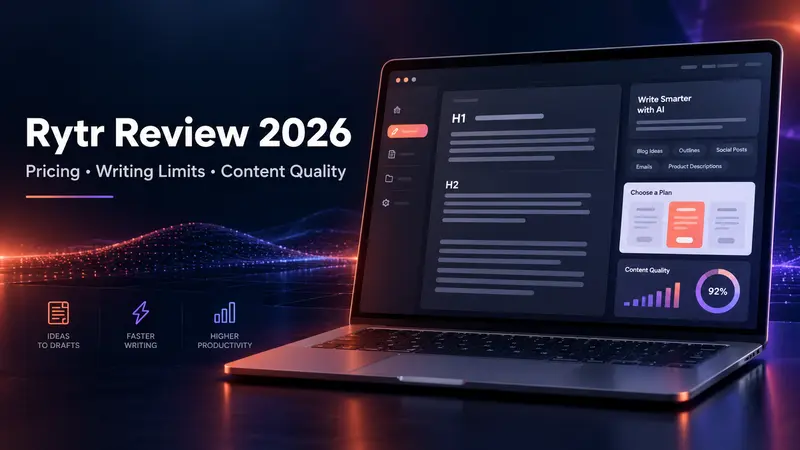
Rytr also includes basic editing and formatting tools. Users can organize content with H1, H2, and H3 headings, add lists and links, and revise generated text without moving immediately to Google Docs or WordPress.
This simplicity is one of Rytr’s main strengths. However, the platform’s section-by-section workflow also shows that it works better as a writing assistant than as an automatic long-form article generator. Users still need to plan the structure, verify claims, remove repetition, and improve the final draft.
Rytr Pricing in 2026
Rytr currently offers three plans: Free, Unlimited, and Premium. The old Saver plan is no longer listed on the company’s current pricing page.
| Feature | Free | Unlimited | Premium |
|---|---|---|---|
| Monthly price | $0 | $9 per month | $29 per month |
| Annual price | $0 | $90 per year | $290 per year |
| Annual monthly equivalent | $0 | $7.50 per month | About $24.16 per month |
| AI content generation | 10,000 characters per month | Unlimited | Unlimited |
| Tone matching | None | 1 tone | Multiple tones |
| Plagiarism checks | None | 50 per month | 100 per month |
| Languages | 1 | 1 | 35+ |
| Input limit | Standard | Doubled | Tripled |
The Unlimited plan offers the strongest value for individual users who primarily write in one language. It removes the monthly generation limit and includes one tone match and 50 plagiarism checks per month.
Premium is intended for freelancers, agencies, and marketers working across multiple brands or languages. Its main advantages are support for more than 35 languages, multiple tone matches, a larger input limit, and 100 monthly plagiarism checks.
Rytr states that annual subscriptions include the equivalent of two free months and require a 12-month commitment. Monthly subscriptions can be canceled at any time. Because features and prices can change, readers should confirm the latest details on the official Rytr pricing page.
Is Rytr Free?
Yes, Rytr has a free plan that does not require a credit card. The free plan allows users to generate up to 10,000 characters each month.
It is important to understand that 10,000 characters do not equal 10,000 words. Spaces and punctuation also count toward the limit, so the available output is much smaller than the number may initially suggest. In practice, the free allowance is enough to test the interface, generate several short pieces of marketing copy, or draft a limited number of blog sections.
The free plan includes basic content generation and access to the editor, but it has important restrictions. It supports only one language and does not include tone matching or plagiarism checks. Users who generate several versions while testing an idea may also consume their monthly allowance quickly.
During my test, the free plan was sufficient for creating a basic outline and writing individual sections. However, the content became repetitive when I generated multiple paragraphs around closely related keywords. Some sections reused similar descriptions of affordability, accessibility, and content quality.
Rytr’s free plan is therefore useful as a trial rather than a complete writing solution. It gives users enough access to evaluate the workflow and output quality before deciding whether unlimited generation is worth paying for.
How Rytr’s Blog Writing Workflow Works
Rytr works best when the user divides an article into smaller tasks. Rather than requesting an entire long-form article with one instruction, I first planned the outline and then generated the body content section by section.
For each section, Rytr allowed me to choose a language, select a tone or writing style, identify a use case, enter a section heading, and add target keywords. The creativity setting could also be adjusted, and Rytr could generate one or more output variants.
The built-in editor supports H1, H2, and H3 formatting, which makes it easier to prepare a logical article structure. This is helpful for bloggers and SEO writers who want to organize their content before transferring it to WordPress.
The workflow was easy to learn, but the quality of the input mattered. Entering several disconnected keywords in the section-topic field produced broad and unfocused paragraphs. I received better results when I entered one clear section heading and placed the supporting phrases in the keyword field.
For example, a specific heading such as “Is Jasper AI Good for SEO Content?” provides more direction than entering two fragments such as “Jasper AI good” and “Jasper AI subscription price.”
Rytr can accelerate drafting, but users still need to provide a clear outline and a specific purpose for every section.
Rytr Content Quality: Is the Writing Any Good?
Rytr’s content quality is acceptable for brainstorming, outlines, and first drafts. Most of the sentences generated during my test were grammatically readable and logically connected. The tool was also able to produce a complete paragraph quickly without requiring advanced prompt-writing skills.
The biggest weakness was repetition.
When I generated several sections using the free plan, Rytr repeatedly used similar claims about affordability, ease of use, flexible pricing, and content efficiency. Even when the section topics changed, the output sometimes returned to the same general selling points.
The writing also tended to sound positive and promotional unless the topic was framed carefully. Statements such as “high-quality content,” “excellent value,” and “a smart investment” appeared without supporting evidence. These phrases may sound polished, but they do not make an article more useful or trustworthy.
Rytr did not independently supply the original research, current pricing evidence, product testing data, or firsthand examples required for a professional review. Any factual statement about features, subscription prices, or limitations still needed to be checked against an official source.
Overall, Rytr can produce a usable foundation, but its raw output should not be published without editing. The writer must remove generic language, add evidence, verify facts, and include genuine experience to make the article credible.
Rytr Writing Limits and Major Drawbacks
Rytr’s most important limitation is not simply the number of characters available on the free plan. Its deeper limitation is the amount of context, specificity, and original analysis contained in the generated writing.
Although the Unlimited and Premium plans provide unlimited generation, unlimited output does not guarantee unlimited high-quality content. Long articles can still contain repeated ideas, shallow explanations, unsupported claims, and predictable sentence patterns.
Rytr is also divided into individual writing functions. This can help beginners, but it requires users to move through separate steps for outlines, section writing, rewriting, and other tasks. Writers expecting the tool to research, structure, verify, and complete a detailed article automatically may find this process restrictive.
The platform allows users to add keywords, but it does not replace dedicated SEO research or content optimization software. A keyword may appear in the output without being used naturally, and the tool cannot determine whether a claim satisfies the reader’s actual search intent.
Rytr also should not be treated as a source of current facts. Prices, product specifications, statistics, legal information, and quotations must be verified separately.
These limitations make Rytr less suitable for technical articles, academic work, investigative content, detailed product reviews, and other subjects that require strong evidence or subject-matter expertise.
Is Rytr Good for SEO Content?
Rytr can support an SEO workflow, but it is not a complete SEO content platform.
The tool is useful for generating article outlines, individual blog sections, meta titles, meta descriptions, calls to action, and short pieces of supporting copy. Users can enter target keywords and organize the draft with H1, H2, and H3 headings. These functions can reduce the time required to move from a blank page to a basic first draft.
However, adding keywords to an AI-generated paragraph does not make the content search-optimized. Rytr does not replace keyword research, search-intent analysis, competitor review, internal linking, source verification, or on-page optimization.
The raw output may also lack the experience and original value needed for competitive search results. Google does not automatically reject content simply because AI assisted in its creation. The greater risk is publishing unhelpful, repetitive, or inaccurate material created primarily to gain search traffic.
For an SEO article, Rytr should be used near the beginning of the process. A writer can use it to organize ideas and draft sections, then add original examples, expert commentary, updated sources, relevant internal links, and a clear answer to the search query.
Publishing Rytr’s unedited output at scale is unlikely to build a trustworthy website. Using it as one part of a human-led editorial workflow is far more practical.
Who Should Use Rytr?
Rytr is best suited to users who want an affordable and structured assistant for short-form writing or early-stage drafting.
Individual bloggers can use it to create outlines, introductions, section drafts, meta descriptions, and alternative headlines. Small ecommerce businesses may find it helpful for product descriptions, promotional emails, and basic website copy. Social media managers can use it to brainstorm captions, calls to action, and post ideas.
The Unlimited plan may appeal to users who work primarily in one language and want unrestricted generation at a relatively low monthly price. The Premium plan makes more sense for freelancers and agencies working with multiple brands or international audiences.
Rytr is less suitable for writers who expect finished, publication-ready long-form articles. It is also a poor fit for subjects requiring current statistics, technical accuracy, original reporting, expert analysis, or extensive citations.
The tool is particularly useful for overcoming writer’s block. If you already understand the topic but need help producing a first version, Rytr can speed up the process. If you do not understand the topic or cannot verify the information, generating more text will not solve the underlying problem.
The ideal Rytr user treats AI output as editable material—not as a finished answer.
Rytr Pros and Cons
Pros
- Free plan available without a credit card
- Simple interface with a short learning curve
- Affordable Unlimited plan
- Separate tools for outlines and blog sections
- Adjustable tone, language, variants, and creativity
- Ability to add section headings and keywords
- Built-in H1, H2, and H3 formatting
- Useful for short copy, brainstorming, and first drafts
- Paid plans include plagiarism checks
Cons
- Free plan is limited to 10,000 characters per month
- Free output can become repetitive
- Generated claims may be generic or overly promotional
- Long-form content requires substantial editing
- Keywords may be inserted unnaturally
- Facts and prices must be verified manually
- Free and Unlimited plans support only one language
- Does not replace dedicated SEO research or optimization tools
- Not ideal for technical, academic, or evidence-heavy content
Rytr vs. ChatGPT: Which Is Better for Writing?
Rytr and ChatGPT can both assist with writing, but they offer different workflows.
Rytr provides a more structured experience. Users choose a specific use case, add a topic and keywords, select a tone, and generate content inside a focused writing editor. This approach is easier for beginners who want guidance and do not know how to build detailed prompts.
ChatGPT is generally more flexible. It can discuss strategy, analyze information supplied by the user, revise a draft through conversation, and follow more detailed instructions. That flexibility can be more useful for complex outlines, long-form editing, and iterative research, although the quality still depends on the model, plan, prompt, and source material.
Rytr may be the more convenient option for quickly generating predictable marketing assets such as product descriptions, captions, calls to action, and email copy. ChatGPT may be better for users who want a conversational workflow and greater control over structure and reasoning.
Neither tool should be trusted automatically for factual claims. Both can generate inaccurate or unsupported information, so professional content still requires verification and human editing.
The better choice depends less on which tool produces more words and more on which workflow fits the user’s needs.
Is Rytr Worth It in 2026?
Rytr is worth considering if you need an inexpensive AI writing assistant for outlines, short marketing copy, and rough drafts. Its interface is easy to understand, and the step-by-step workflow helps beginners create content without learning advanced prompting techniques.
The $9-per-month Unlimited plan is particularly competitive for users who work in one language and want to remove the free plan’s 10,000-character limit. Premium is more relevant to freelancers and agencies that need multiple tones and support for more than 35 languages.
Nevertheless, Rytr should not be purchased with the expectation that it will consistently produce finished long-form articles. My free-plan test showed that it could create readable paragraphs, but repeated ideas and generic promotional claims appeared across different sections. The content still required fact-checking, restructuring, and substantial editing.
For bloggers, small businesses, and entry-level content creators, Rytr can save time during the drafting stage. For professional SEO writers, it is better viewed as one tool within a broader process that includes research, search-intent analysis, firsthand experience, optimization, and editorial review.
My final verdict: Rytr is good for structured drafting and short-form content, but its output quality depends heavily on human direction and revision.
Frequently Asked Questions About Rytr
Is Rytr completely free?
Rytr has a free plan offering 10,000 generated characters per month. It supports one language but does not include tone matching or plagiarism checks.
How much does Rytr cost?
Rytr Unlimited costs $9 per month, while Premium costs $29 per month. Annual billing reduces the effective monthly prices to $7.50 and approximately $24.16, respectively.
Can Rytr write a full blog post?
Rytr can help create an outline and generate individual blog sections. However, long-form articles usually require editing to remove repetition, verify factual claims, and add original insight.
Is Rytr good for SEO?
Rytr is useful for outlines, headings, meta copy, and first drafts. It does not replace keyword research, search-intent analysis, internal linking, fact-checking, or professional SEO optimization.
Does Rytr include a plagiarism checker?
The Free plan does not include plagiarism checks. Unlimited includes 50 checks per month, while Premium includes 100 checks per month.
Who owns content generated with Rytr?
According to Rytr’s official pricing FAQ, content generated through the platform belongs to the user or organization using the service, subject to Rytr’s terms of use.
—