If you’re comparing NovelCrafter vs Sudowrite, the biggest difference isn’t simply which tool has “better AI.”
It’s how you want to write.
NovelCrafter is better for writers who want more control over their story structure, AI models, prompts, and long-term worldbuilding. Sudowrite is better for writers who want a simpler, more guided AI writing experience that helps them brainstorm, draft, expand, and rewrite fiction quickly.
NovelCrafter starts at just $4 per month, while Sudowrite’s annual plans currently start at $10 per month. But the pricing models are fundamentally different: NovelCrafter can connect to external AI providers, while Sudowrite bundles AI credits into its subscription plans.
So which one is actually better?
Here’s my detailed NovelCrafter vs Sudowrite comparison for 2026, including pricing, features, AI writing, story planning, ease of use, and the type of writer each platform suits best.
NovelCrafter vs Sudowrite: Quick Comparison
| Feature | NovelCrafter | Sudowrite |
|---|---|---|
| Best for | Writers who want control and customization | Writers who want easy AI-assisted fiction writing |
| Starting price | $4/month | $10/month annually / $19 monthly |
| Free trial | 21 days | Available, no credit card required |
| AI included in base price | Not on Scribe; BYOK from Hobbyist | Yes |
| AI models | Multiple external/local AI providers | Built-in AI experience, including Muse |
| Story planning | Excellent | Very good |
| Character/world database | Codex | Story Bible |
| Brainstorming | Yes | Yes |
| AI drafting | Yes, depending on connected AI | Yes |
| Rewrite tools | AI/prompt dependent | Built-in Rewrite |
| Long-form organization | Excellent | Excellent |
| Learning curve | Higher | Lower |
| Customization | Excellent | Good |
| Best for beginners | Good, but more setup | Excellent |
| Best for power users | Excellent | Good |
| Series/worldbuilding | Excellent | Very good |
| AI cost model | Subscription + external AI usage | Monthly credit allowance |
What Is NovelCrafter?
NovelCrafter is a long-form writing and story-planning platform designed around a combination of manuscript organization, story planning, worldbuilding, and optional AI assistance.
One of its standout features is the Codex.
Instead of keeping your characters, locations, lore, factions, objects, and other story information scattered across separate documents, you can organize them inside the Codex. NovelCrafter can also share Codex information across books in a series.
That makes it particularly useful for:
fantasy writers, science-fiction authors, series writers, complex worldbuilding projects, and authors working with large casts of characters.
NovelCrafter also takes a relatively open approach to AI.
Rather than locking you into a single model, it can connect to providers and models from OpenAI, Anthropic, Google, OpenRouter and others. NovelCrafter also supports local-model options such as LM Studio and Ollama.
That flexibility is one of NovelCrafter’s biggest advantages — but also one of its weaknesses.
There are simply more things to configure.
What Is Sudowrite?
Sudowrite takes almost the opposite approach.
Instead of giving writers a highly configurable AI environment, it packages AI into tools designed around specific fiction-writing tasks.
Its major features include Write, Rewrite, Describe, Brainstorm, Expand, First Draft, Scenes, Draft, and Plugins.
For example, if you have an outline but don’t know how to turn it into prose, Sudowrite can generate a first draft. If a scene feels flat, Describe can suggest sensory details. If your dialogue sounds awkward, Rewrite can generate alternative versions.
Its Draft feature can generate chapters of roughly 3,000–5,000+ words based on Scenes you have created.
That makes Sudowrite particularly attractive to writers who don’t want to spend much time configuring AI models or writing complicated prompts.
You tell it what you’re trying to accomplish and use the appropriate writing tool.
NovelCrafter vs Sudowrite: The Biggest Differences
Although both products target fiction writers, they solve slightly different problems.
NovelCrafter gives you more control
NovelCrafter feels more like a writing workspace that can integrate AI.
You control your story structure, Codex, prompts and AI provider.
This matters if you’re already familiar with tools such as Claude, GPT, Gemini or OpenRouter and want to decide which model should handle a particular task.
You aren’t locked into one AI ecosystem.
Sudowrite makes AI writing easier
Sudowrite feels more like an AI co-writer built around a fiction-writing workflow.
That difference is probably the single most important thing to understand when choosing between them.
NovelCrafter vs Sudowrite Pricing
Pricing is where these tools become slightly harder to compare because you’re not paying for exactly the same thing.
NovelCrafter currently offers four monthly plans:
| NovelCrafter Plan | Monthly Price | Main Difference |
|---|---|---|
| Scribe | $4 | Writing, unlimited books, Codex and basic review tools |
| Hobbyist | $8 | Adds AI integration / Bring Your Own Key |
| Artisan | $14 | Adds Chat and advanced review features |
| Specialist | $20 | Adds collaboration and team features |
NovelCrafter also offers a 21-day free trial with no credit card required, and its website states that all features are unlocked during the trial. Annual billing gives two months off.
One thing beginners need to understand is that NovelCrafter’s subscription price isn’t necessarily your total AI cost.
If you use the Hobbyist plan or above with an external AI provider, your AI usage may create a separate cost depending on the provider and model you select.
This can be an advantage for experienced AI users because you can choose cheaper models for routine tasks and stronger models when you need better prose.
But it makes the pricing less predictable.
Sudowrite Pricing
Sudowrite uses a simpler credit-based system.
Its current plans are:
| Sudowrite Plan | Annual-Billing Price | Monthly-Billing Price | AI Credits |
|---|---|---|---|
| Hobby & Student | $10/month | $19/month | 225,000/month |
| Professional | $22/month | $29/month | 1,000,000/month |
| Max | $44/month | $59/month | 2,000,000/month |
All three plans include access to Sudowrite’s features. The primary differences are the amount of AI credits and credit rollover. The Max plan allows unused credits to roll over for up to 12 months.
That makes Sudowrite easier to understand:
pay subscription → receive credits → write.
However, writers who generate large amounts of AI prose need to pay attention to credit consumption.
Sudowrite itself notes that credits don’t translate directly into a fixed number of words. Simple Rewrite or Describe operations may consume relatively few credits, while generating an entire chapter using more sophisticated models can consume considerably more.
Pricing winner: NovelCrafter for flexibility, Sudowrite for simplicity
NovelCrafter can potentially be cheaper, particularly for writers who understand AI APIs and carefully control model usage.
Sudowrite costs more upfront, but the experience is easier to understand because the AI functionality is packaged into the subscription.
NovelCrafter vs Sudowrite for Story Planning
Winner: NovelCrafter
This is probably NovelCrafter’s strongest area.
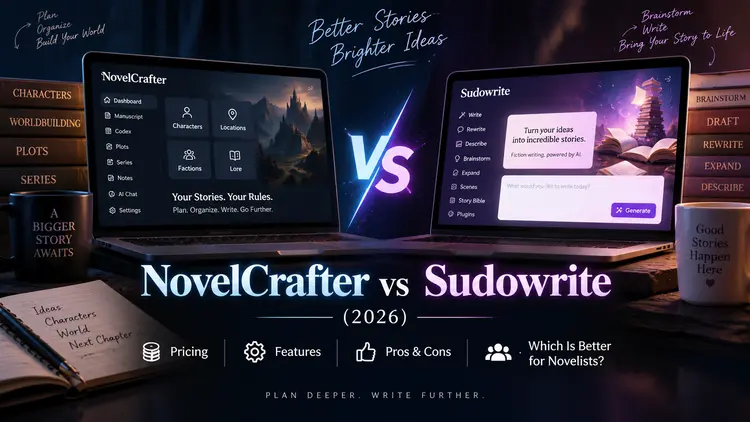
The Codex functions almost like a private wiki for your novel.
You can keep track of characters, locations, lore and other story information, and those entries can become part of the broader writing and AI workflow. NovelCrafter also supports sharing Codex information across books in the same series.
That is particularly useful if you’re writing:
- fantasy or science fiction with extensive worldbuilding
- multi-book series
- stories with large casts
- complicated timelines
- lore-heavy fiction
The downside is obvious once you start using it.
Maintaining the Codex can become work of its own.
For writers who love databases and detailed planning, that’s a feature.
For writers who simply want to sit down and write, it can feel like you’re spending more time organizing the novel than writing it.
Sudowrite’s Story Bible also stores important information about your characters, world and outline, but its workflow is more focused on helping the AI understand the story so it can assist your writing.
NovelCrafter vs Sudowrite for AI Writing
Winner for flexibility: NovelCrafter
Winner for ease of use: Sudowrite
NovelCrafter lets you choose from a much wider AI ecosystem.
This is useful because different models have different strengths.
You might use one model for brainstorming, another for inexpensive summaries, and a stronger model for writing an important scene.
Power users will appreciate that freedom.
But beginners may not.
Sudowrite removes much of that complexity.
Its tools correspond directly to common writing problems:
Brainstorm helps generate ideas.
Write helps continue your prose.
First Draft/Draft turns planning into longer prose.
Expand develops short passages.
Describe adds sensory detail.
Rewrite helps rework awkward prose or dialogue.
If your biggest problem is writer’s block rather than AI configuration, Sudowrite has the more approachable workflow.
Pros and Cons of NovelCrafter
Pros
- Starts at only $4/month.
- 21-day free trial with no credit card.
- Excellent Codex for characters and worldbuilding.
- Supports multiple AI providers and local models.
- Strong choice for series and complex novels.
- Highly customizable prompts and workflows.
Cons
- Steeper learning curve than Sudowrite.
- AI usage can require separate provider/API costs.
- More configuration is required.
- Maintaining a detailed Codex can become time-consuming.
- Probably overkill for writers who simply want quick AI suggestions.
Pros and Cons of Sudowrite
My Hands-on Experience with Sudowrite
I tested Sudowrite using a short story project to see how smooth the process—from initial concept to actual narrative text—would be. My first impression was that Sudowrite is not a “generate a novel with one click” kind of tool.
Before getting any usable content, I had to provide some background information about the story. Using the “Story Bible” feature, I could define the genre, writing style, plot summary, characters, world-building, and outline. While AI could assist with brainstorming or generating some of this information, I still needed to review, organize, and guide the entire process myself.
The actual writing process also required significant human involvement. During my testing, although Sudowrite could generate suggestions and short paragraphs, I had to personally select what I wanted to use and manually insert the generated text into the manuscript. It wasn’t an experience where I could simply input an outline and instantly receive a complete chapter.
The platform offers a wide array of tools, including Write, Rewrite, Describe, Brainstorm, Feedback, and drafting functions. While these tools are certainly useful, they do come with a learning curve; it took me some time to figure out the specific purpose and ideal use case for each one.
Based on my initial tests, Sudowrite feels more like an AI-assisted workspace for fiction writing rather than a fully automated novel generator. The author is responsible for providing the characters, plot trajectory, and story background, while the AI assists by brainstorming, expanding content, rewriting, and generating specific passages of text.
Since my testing was brief, I cannot draw definitive conclusions about the quality of the writing it produces. My main takeaway is that while Sudowrite can automate certain aspects of fiction writing, many creative and structural decisions still need to be made by the author.
Pros
- Very beginner-friendly workflow.
- Designed specifically around fiction-writing tasks.
- Brainstorm, Write, Rewrite, Describe and Expand are easy to understand.
- Can help turn outlines and Scenes into longer drafts.
- Story Bible keeps important story context together.
- All subscription levels include the core feature set.
- Easy to upgrade, downgrade, pause or cancel.
Cons
- More expensive than NovelCrafter’s entry-level plans.
- Heavy AI generation can consume credits quickly.
- Credit consumption isn’t always predictable because it depends on the task, context and model.
- Less control over the overall AI stack than NovelCrafter.
- May feel like a sophisticated AI text-generation workspace rather than an automatic book-writing solution.
Who Should Choose NovelCrafter?
Choose NovelCrafter if you:
write long novels or series and care about organization.
It is particularly compelling for fantasy, sci-fi and other genres where characters, places, lore and continuity become difficult to manage.
It’s also the better choice if you’re already comfortable using different AI models and don’t mind spending some time configuring your workflow.
The ability to choose your AI provider is a major advantage for writers who care about both output quality and cost.
If the words BYOK, OpenRouter, Claude, GPT or local models don’t intimidate you, NovelCrafter gives you substantially more control.
Who Should Choose Sudowrite?
Choose Sudowrite if your main goal is:
write more fiction with less setup.
It’s particularly good for writers who frequently run into problems such as:
“I don’t know what should happen next.”
“This scene feels too short.”
“My dialogue sounds bad.”
“I have an outline but can’t turn it into prose.”
“This description feels flat.”
Instead of building prompts and switching AI models yourself, you can use tools such as Brainstorm, Write, Expand, Describe or Rewrite.
That makes Sudowrite especially attractive to beginner AI users, discovery writers, hobby novelists and authors trying to overcome writer’s block.
NovelCrafter vs Sudowrite: Which Is Better in 2026?
Neither tool is universally better.
They are built for slightly different writers.
NovelCrafter is my pick for control, story organization, worldbuilding, AI flexibility and value.
Sudowrite is my pick for ease of use, fast drafting and overcoming writer’s block.
If you’re building a complicated fantasy series and want precise control over characters, lore, prompts and AI models, start with NovelCrafter.
If you already have a story in mind and mainly want an AI writing partner that helps you brainstorm, expand, rewrite and draft scenes, Sudowrite is easier to recommend.
The good news is that you don’t necessarily need to decide based on feature lists alone.
Both offer a way to try the software without entering a credit card, while NovelCrafter currently provides a particularly generous 21-day trial.
Try the same chapter or scene in both.
That will tell you far more than comparing another twenty features.
FAQ
Is NovelCrafter better than Sudowrite?
NovelCrafter is better for writers who want advanced story organization, model choice, customization and control over their AI workflow. Sudowrite is better for writers who prioritize ease of use and want built-in tools for brainstorming, drafting, expanding and rewriting fiction.
Is NovelCrafter cheaper than Sudowrite?
NovelCrafter subscriptions start at $4/month, while AI integration begins with its $8/month Hobbyist tier. Sudowrite starts at $10/month when billed annually or $19 on monthly billing. However, NovelCrafter users may also pay separately for their chosen AI provider, so subscription price alone doesn’t represent the complete cost.
Does NovelCrafter include AI?
NovelCrafter supports AI integration beginning with its Hobbyist-level functionality, but its approach differs from an all-in-one credit subscription. Writers can connect supported external AI providers or local models, giving them more choice over which models they use.
Is Sudowrite good for writing novels?
Yes. Sudowrite is specifically designed around long-form fiction. Its tools cover brainstorming, outlining, drafting, expanding, description and rewriting, and its Draft workflow can generate multi-thousand-word chapters from structured Scenes.
Which is better for beginners, NovelCrafter or Sudowrite?
Sudowrite is generally easier for beginners because its AI features are organized around recognizable writing tasks. NovelCrafter offers more flexibility, but that flexibility also creates a steeper learning curve.Due to frequent subsequent use, maintaining Codex takes more time than the actual writing.